6 Best Smart Reminder Automation Software for Remote Teams
Your remote team keeps missing deadlines because reminders get lost in email. When task updates live in three different apps, someone always forgets to follow up. That is usually why teams start comparing automation tools in the first place.
This article breaks down what actually matters in reminder software: AI scheduling, integrations, notification channels, pricing, and scalability. You will get a clear comparison of six options, including Tasks.Bot, and concrete criteria for choosing the one that fits your team.
What to Look For in Smart Reminder Automation Software for Remote Teams
Remote teams spread across time zones need reminder automation that adapts to asynchronous workflows, not just a digital alarm clock. A reminder that fires at 9 a.m. for one person may arrive at midnight for another, which is why time zone management sits at the center of any serious evaluation.
Distributed work also creates an accountability gap. Managers cannot walk over to a desk to check progress, and nobody wants constant check-ins that feel like micromanagement. Good smart reminder automation software closes that gap quietly, nudging people toward deadlines without a human chasing them.
The two sections below frame the lenses for judging any tool: what it can actually do, and what it costs in money and effort to run across a distributed workforce.
Key Features: AI Scheduling, Integrations, and Notification Channels
The core of any smart reminder tool is its ability to schedule intelligently, connect with your existing stack, and reach team members where they are. Everything else is secondary.
AI scheduling means the tool learns when a person actually responds. If someone consistently clears notifications mid-morning, the system shifts recurring reminders into that window. It should also translate times automatically, so a deadline set in one region lands at a sensible local hour for everyone else.
Integrations decide whether the tool becomes part of the workflow or another tab nobody opens. Look for connections to Slack, Microsoft Teams, and Google Workspace, plus project management platforms such as Trello, Asana, ClickUp, Monday.com, Notion, and Todoist. Automation platforms like Zapier, Make, n8n, and IFTTT extend that reach through triggers and conditional logic.
Notification channels should be flexible rather than fixed. A practical setup might combine:
- Push notifications for time-sensitive pings
- Email alerts for daily digests and summaries
- SMS reminders for urgent or field-based staff
- In-app messages tied to task management views
Natural language processing is increasingly common. Instead of filling out a form, a user types "remind the design team every Friday at 3" into a chat window, and a chatbot or virtual assistant creates the recurring reminder. Calendar sync then keeps everything aligned with existing meetings.
Before shortlisting vendors, ask these questions:
- Does the scheduler account for each member's local time zone automatically?
- Which collaboration tools and project management apps connect natively?
- Can reminders be created through chat using natural language?
- Are notification channels configurable per person or per team?
- Does it support conditional logic, such as escalating an unacknowledged reminder?
Pricing, Scalability, and Remote Team Usability
Budget and user experience matter as much as features when you're equipping a distributed team with reminder automation. A tool that saves ten minutes a day but takes a month to learn is not saving anything.
Pricing generally follows one of three models: per-user subscriptions, tiered plans that unlock features as you pay more, or flat-rate packages for a set number of seats. Per-user pricing is predictable for small groups but grows quickly. Tiered plans often hide the integrations or automation triggers you actually need behind a higher level, so check where each capability sits.
Scalability is not only about seat count. Consider whether the tool handles growing numbers of recurring reminders, additional teams, and new time zones without manual reconfiguration. A structure that works for eight people may become unwieldy at eighty.
Usability matters most for non-technical staff. Onboarding should take minutes, not training sessions, and the mobile experience needs to be genuinely usable since many remote workers manage their day from a phone. Employee engagement suffers when a productivity tool feels like extra work.
When calculating total cost of ownership, look past the subscription line:
- Setup and integration time, especially for custom automation triggers
- Training hours for admins and team members
- Cost of higher tiers required for key features
- Admin overhead for managing users and permissions
Free trials and demos are essential. Test with real team members in different time zones before committing, and confirm the tool works with your existing collaboration tools rather than forcing a migration.
1. Tasks.Bot - Best Overall
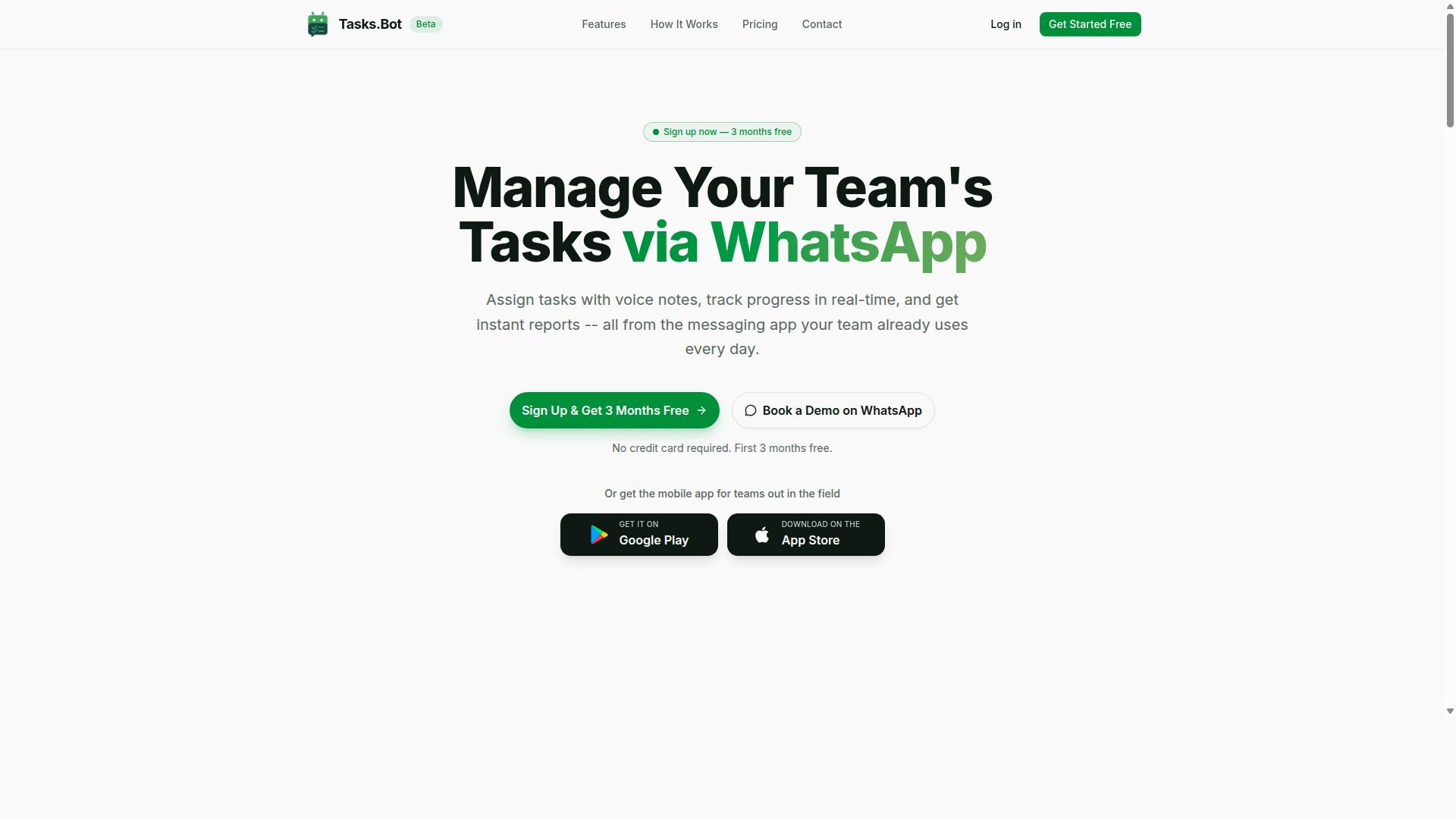
Tasks.Bot stands out as the best overall smart reminder automation software for remote teams because it operates entirely within WhatsApp, eliminating adoption barriers for field and distributed staff. Team members do not need to install anything or create new accounts, which removes the single biggest hurdle in rolling out new productivity software.
The platform combines AI-powered task creation, smart deadline reminders, and face-verified attendance in one place. The two sections below cover how it works day to day, and what it costs.
WhatsApp-Native Reminders, Voice Task Creation, and Smart Deadlines
Tasks.Bot leverages WhatsApp's ubiquity to deliver reminders and task management without requiring team members to install a new app or create accounts. For a distributed workforce spread across locations, that means no onboarding friction and no forgotten logins.
Creating work is intentionally simple. A team member can send a voice note or a text message in natural language, and the AI understands the intent and turns it into a task. From there, the system handles automatic task assignment and smart deadline reminders, so nothing depends on someone remembering to follow up manually.
Beyond reminders, Tasks.Bot covers the operational basics remote teams need:
- Voice note task creation and automatic task assignment
- Smart deadline reminders and recurring follow-ups
- Approvals and automations for repeatable workflows
- Instant reports for managers
- Tasks on a map and a live day tracker
- Face-verified attendance, plus shifts, leave, and hours management
For teams with field staff, the combination of face-verified attendance and live GPS tracking closes a gap that chat tools and generic project management platforms leave open. Attendance and hours data stay connected to the same tasks people are already discussing in WhatsApp.
The AI layer matters most for asynchronous communication. When instructions arrive as a voice note in a local language or as an unstructured message, the platform still converts them into trackable work with a clear owner and due date. Managers get deadline tracking without chasing updates, and staff get reminders in the app they already check dozens of times a day.
Tasks.Bot also offers Android and iOS apps with push notifications, voice capture, and a home screen widget for those who want a dedicated interface. Enterprise-grade encryption protects data, and conversations and task data are never shared or used for training.
Pricing, Free Trial, and Who It's Best For
Tasks.Bot offers straightforward pricing with a full-access plan and a free trial, making it accessible for teams of all sizes. The single Full Access plan includes all features, so there are no tiers to compare or capabilities held back.
| Plan | Price | Notes |
|---|---|---|
| Full Access, monthly | ₹200 per member per month | All features included |
| Full Access, annual | ₹1,200 per member per year | Save 50%, save ₹1,200/yr per member |
Pricing is available in Indian Rupees and US Dollars, and the site includes a currency selector so teams can verify the amount in their preferred currency. The service is currently in beta.
New users get a 3-month free trial with no credit card required and can cancel anytime. Teams that want to see the product in context can use the Book a Demo on WhatsApp option, which fits the WhatsApp-native approach. A refund policy is also mentioned in the footer of the site.
This tool suits teams that already run their daily communication through WhatsApp, particularly those with field staff who need task management, attendance tracking, and payroll-ready hours in one system. If your people are on their feet, on the road, or spread across time zones, a WhatsApp-native chatbot and virtual assistant removes the app-switching that kills adoption elsewhere. Teams already standardized on Slack integration, Microsoft Teams, or a full project management suite may prefer a tool built around those environments, but for WhatsApp-first operations, Tasks.Bot keeps everything in one thread.
2. Reminderly.ai
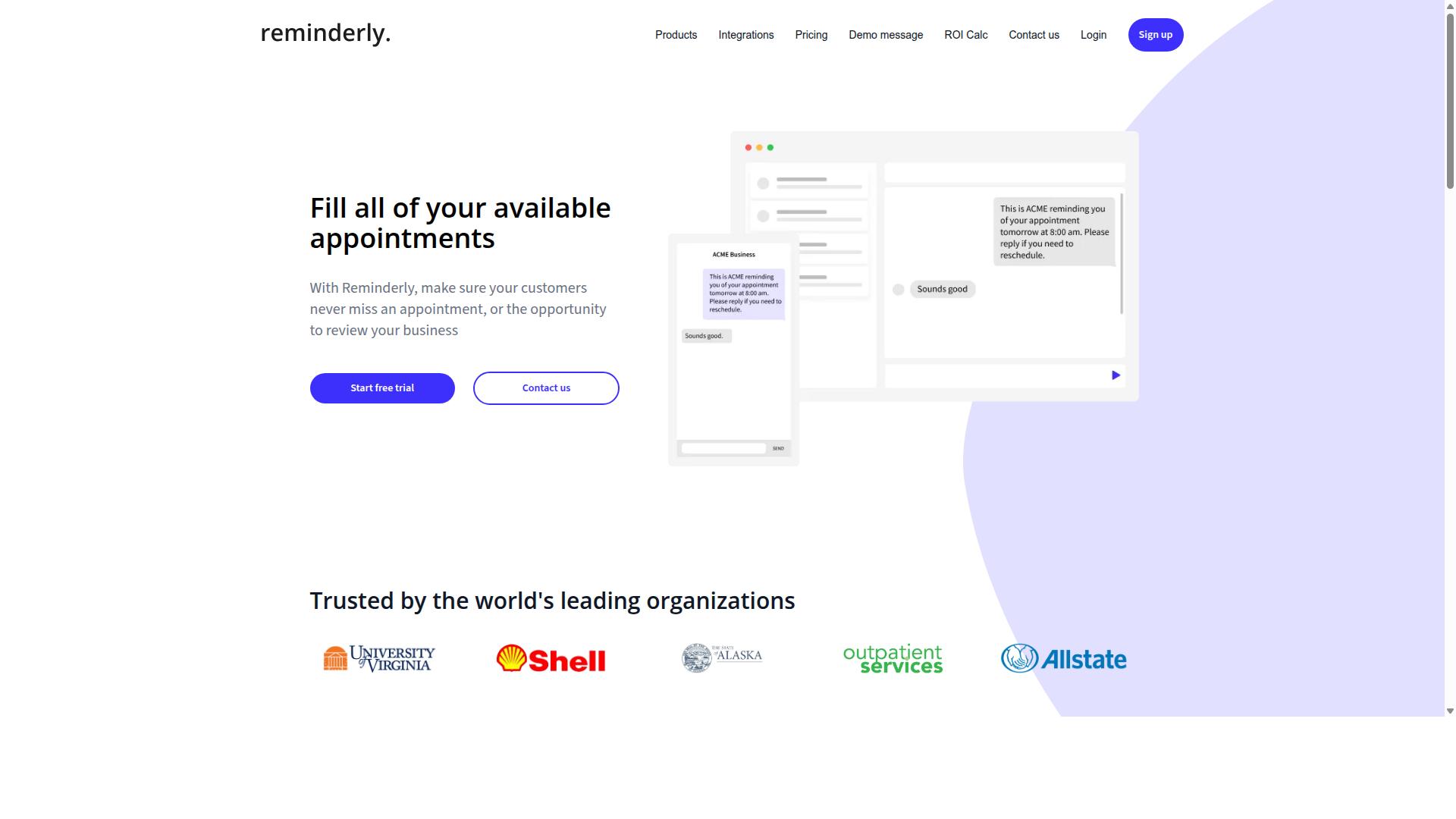
Reminderly.ai is a dedicated reminder automation tool that uses AI to schedule and deliver reminders across multiple channels. Rather than positioning itself as a full project management platform, it focuses on the reminder layer itself: capturing what needs to happen, when, and who should be notified.
For remote teams juggling recurring standups, deadline tracking, and follow-ups across time zones, that narrow focus can be appealing. A standalone tool typically means less setup overhead than configuring reminder logic inside a broader task management suite.
Because public information about Reminderly.ai is limited, the details below describe what this category of tool generally offers. Treat them as a starting checklist for your own evaluation rather than a confirmed feature list.
AI-driven scheduling. Tools in this space often use natural language processing so users can type a request like "remind the design team every Friday at 10am" instead of filling out scheduling forms. The AI layer may also suggest optimal send times or adjust cadence based on how recipients respond.
Integration capabilities. Standalone reminder tools typically connect to calendar sync services such as Google Workspace, and may offer hooks into collaboration tools including Slack integration and Microsoft Teams. Some also support project management platforms like Trello, Asana, ClickUp, Monday.com, Notion, or Todoist, plus workflow automation bridges such as Zapier, Make, n8n, or IFTTT. Confirm which connectors actually exist before committing.
Notification options. Multi-channel delivery is the core promise here. Expect a mix of push notifications, email alerts, SMS reminders, and possibly chatbot or virtual assistant delivery inside chat apps. Conditional logic and automation triggers may let reminders escalate if no one acknowledges the first nudge, which helps with accountability in a distributed workforce.
Where a standalone option like Reminderly.ai tends to fit best:
- Teams that already have a project management system and only need a stronger reminder layer on top
- Groups that want quick setup without migrating existing workflows
- Managers who prefer asynchronous communication nudges over live meetings
Before choosing it, check a few practical points. Does it handle time zone management cleanly for members spread across regions? Can recurring reminders be paused or edited without rebuilding them? Is there a clear audit trail showing who was notified and when?
Pricing, plan tiers, and support channels for Reminderly.ai are not verified here, so compare those directly with the vendor. If your team needs reminders tightly bundled with task ownership, deadline tracking, and reporting in one place, a broader platform may reduce tool sprawl. If you want a focused reminder engine that plugs into the stack you already use, Reminderly.ai is worth a look as a viable standalone alternative.
3. TaskRio
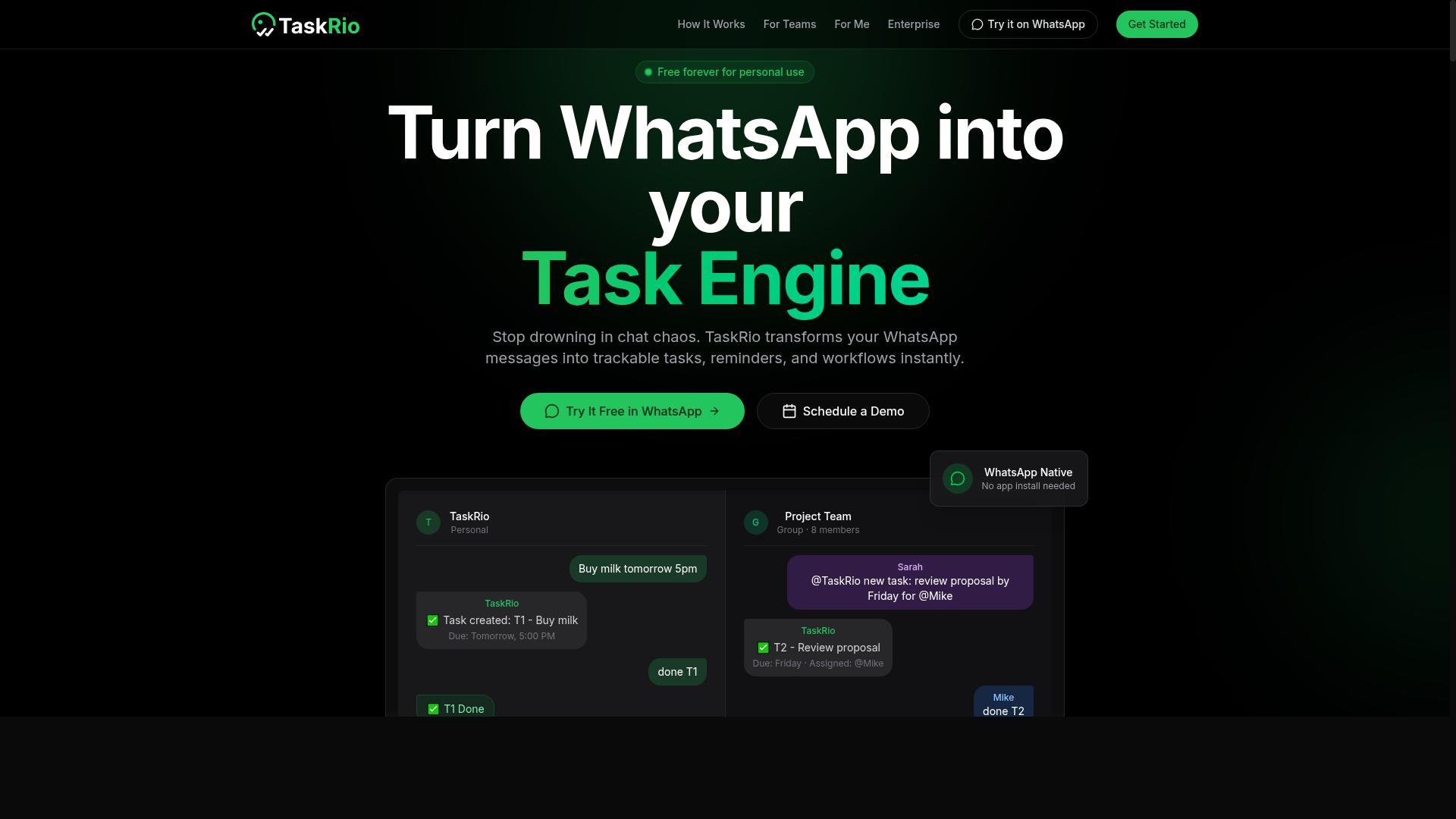
TaskRio combines task management with reminder automation, aiming to streamline workflows for distributed teams. Publicly available information about the product is limited, so this overview stays general and focuses on the capabilities teams typically look for in this category.
Based on how tools like this are usually positioned, TaskRio appears to focus on connecting task assignments with scheduled nudges. Rather than treating a to-do list and a reminder system as separate apps, the goal is generally to keep both in one place so nothing slips through.
For a distributed workforce, that combination matters. A task without a timely reminder is easy to forget, and a reminder without a linked task lacks context. Tools in this space typically try to close that gap.
Users report that recurring reminders are one of the most requested features in reminder automation software. Daily standup prompts, weekly check-ins, and monthly reporting tasks are common examples. Deadline tracking usually pairs with this, flagging items as due dates approach so remote teams can act before work becomes overdue.
Team collaboration features in this category often include shared task lists, comment threads, and status updates. These support asynchronous communication, which is essential when teammates work across different hours. A reminder that fires at the right moment for one time zone may arrive at midnight for another, so time zone management is worth checking.
Integration support is another factor to verify. Many remote teams rely on Slack integration, Microsoft Teams, Google Workspace, or project management platforms such as Trello, Asana, ClickUp, Monday.com, Notion, or Todoist. Whether TaskRio connects to these tools is not confirmed in available sources, so teams should confirm directly before committing.
Notification channels also vary by product. Push notifications, email alerts, and SMS reminders are common options, and some tools add calendar sync or chatbot interfaces. Which of these TaskRio supports is not documented in the material reviewed here.
TaskRio may suit small to mid-sized remote teams that want task management and reminder automation in a single tool without managing multiple subscriptions. Teams with complex workflow automation needs, such as conditional logic or deep no-code pipelines through n8n, Zapier, or Make, may find a dedicated automation platform better suited.
Before adopting any tool in this category, evaluate it against a few practical questions:
- Does it support recurring reminders and deadline tracking out of the box?
- Can it handle time zone management for a distributed workforce?
- Does it work together with the collaboration tools your team already uses?
- Are notification options flexible enough for different roles?
- Is the pricing model workable as your team grows?
Because verified details about TaskRio are scarce, treat any evaluation as provisional. Ask for a trial, test the reminder flow with a small group, and confirm integration support before rolling it out. That approach applies to any productivity software in a remote setting, where accountability depends on reliable, well-timed prompts.
4. Karo.bot
Karo.bot is a chatbot-based assistant that helps teams manage tasks and reminders through conversational interfaces. Instead of asking users to open a separate dashboard, it leans on the way people already talk to each other at work: short messages, quick replies, and plain requests.
That chat-first approach is what separates it from dashboard-heavy productivity software. For a distributed workforce, the appeal is obvious. If reminders arrive inside the app someone already has open, there is less friction between a task being assigned and a task being acknowledged.
Details about Karo.bot are limited in publicly available sources, so this entry stays at the category level. Treat it as a starting point for evaluation rather than a confirmed feature list.
Teams considering a conversational assistant should verify a few things directly before committing:
- Which messaging platforms it connects to, and whether that includes Slack integration or Microsoft Teams
- How well its natural language processing handles real requests, not just scripted commands
- Whether it supports recurring reminders and deadline tracking, or only one-off nudges
- Where reminders land: push notifications, email alerts, or SMS reminders
- Current pricing, seat limits, and any free tier
The natural language angle matters most. A chatbot that understands "remind the design team about the client review on Thursday" without a rigid command format is genuinely useful. One that requires exact syntax is just a text box with extra steps.
Karo.bot could suit teams already living in chat apps, where asynchronous communication is the default. Adding another tool to the stack rarely works. Adding a bot to a channel people already use often does.
It is less likely to fit teams that need deep project management views, Gantt charts, or heavy workflow automation with conditional logic. Those needs usually point toward project management platforms such as Trello, Asana, ClickUp, Monday.com, or Notion, or toward connector tools like n8n, Zapier, or Make.
One practical check: ask how the bot handles time zone management. A reminder that fires at 9 a.m. for one person and 3 a.m. for another undermines accountability fast.
Before adopting any conversational assistant, confirm specifics directly with the vendor:
- Request a live demo using your own reminder scenarios
- Ask which calendar sync options exist with Google Workspace or similar
- Check how tasks map to your existing collaboration tools
- Confirm how data is stored and who can see task content
- Review pricing against your actual seat count
Conversational reminders are a strong fit for lightweight task management and quick nudges. They are weaker for complex dependencies or reporting. Match the tool to the job.
5. The Sarah AI
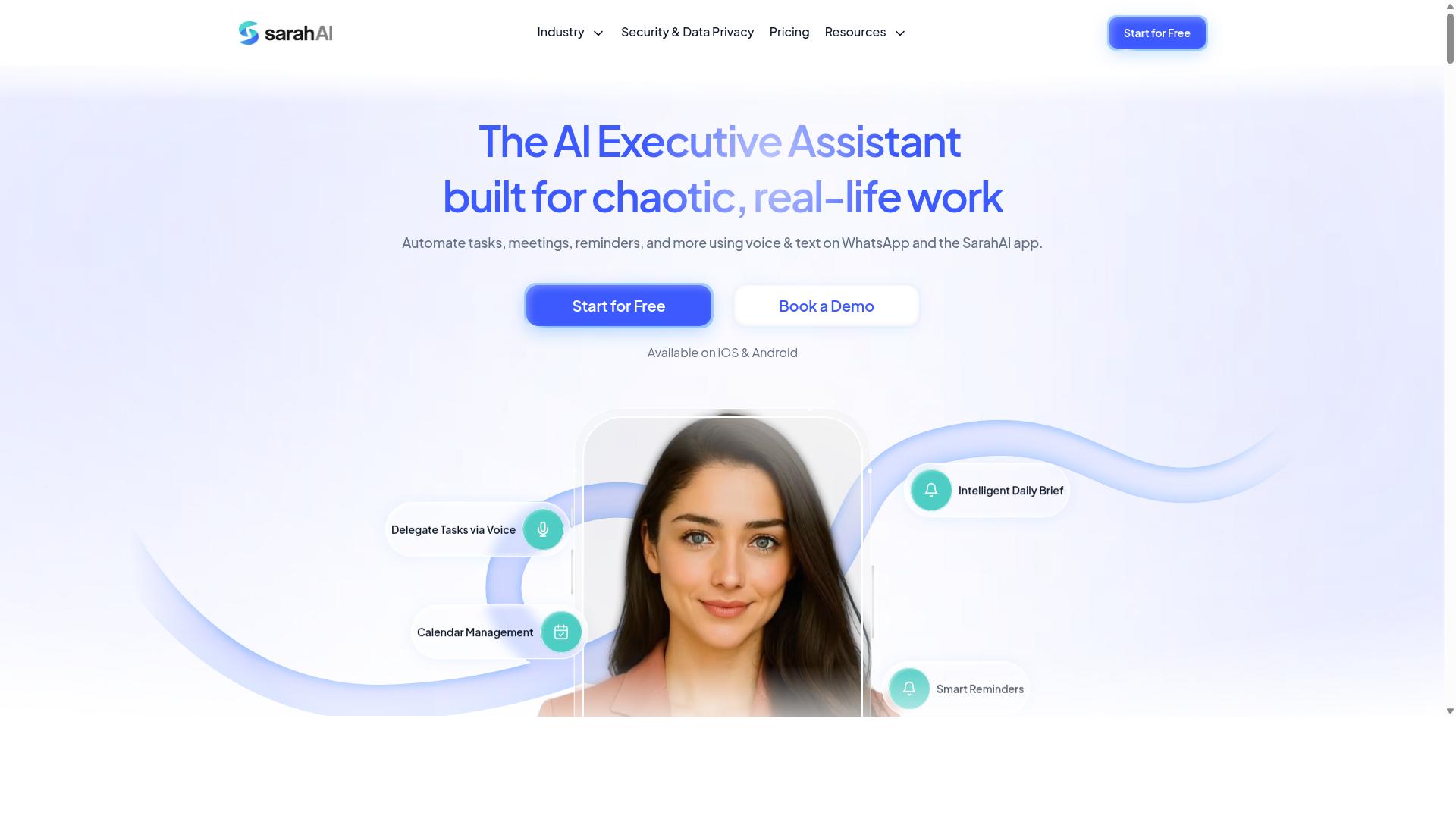
The Sarah AI positions itself as an intelligent virtual assistant that can handle scheduling and reminders for busy remote teams. Rather than asking users to click through a series of forms, it is designed around a conversational model where team members describe what they need in plain language.
That approach fits the way a distributed workforce actually communicates. A manager might type "remind the design group about the client review every Thursday morning," and the assistant is expected to interpret the intent, set the schedule, and confirm the details back.
Because public documentation for this tool is limited, teams should treat the following capabilities as possibilities rather than confirmed features. A short demo is the fastest way to see what the product actually does today.
Natural language processing sits at the center of the pitch. If the assistant handles phrasing well, users may be able to create recurring reminders without learning syntax or menu structures. That lowers the learning curve for teammates who avoid traditional productivity software.
Calendar sync is another area worth probing. A virtual assistant of this type may connect to Google Workspace or similar calendars, then adjust reminders around existing meetings. Time zone management matters here, since a reminder that fires at 9 a.m. for one person can land at midnight for another.
Multi-channel delivery is the third angle to test. Possible notification paths include:
- Push notifications through a mobile or desktop app
- Email alerts for longer-form updates
- SMS reminders for time-sensitive items
- Slack integration or Microsoft Teams messages inside existing channels
Each channel changes how a reminder feels. A Slack message fits asynchronous communication, while an SMS nudge suits deadline tracking on urgent tasks.
The chatbot format also raises practical questions. Does the assistant understand follow-up corrections, like "actually, move that to Friday"? Can it handle multiple people in one request? These are the details that separate a useful virtual assistant from a novelty.
Integration depth is another consideration. Teams running project management tools such as Trello, Asana, ClickUp, Monday.com, Notion, or Todoist will want to know whether reminders can pull from existing task lists. Without that link, users end up maintaining two systems.
Accountability features deserve a close look as well. Reminder tools support employee engagement best when they confirm completion, escalate missed items, or summarize what slipped. Ask whether the assistant tracks acknowledgments or simply sends messages into the void.
Pricing and plan structures for The Sarah AI are not clearly documented in public sources. Rather than guess, interested teams should request a demo and ask directly about seat limits, channel availability, and integration support.
A few questions make that demo more productive:
- Which calendar and chat platforms sync natively?
- How does the assistant handle time zones across regions?
- Can reminders trigger from task updates in other tools?
- What happens when a recipient misses a reminder?
Treat The Sarah AI as a promising conversational option in the smart reminder automation software category. Its assistant-first design may appeal to teams that prefer typing a sentence over configuring a workflow. Verification through a live demo remains the sensible next step.
6. Zoye AI
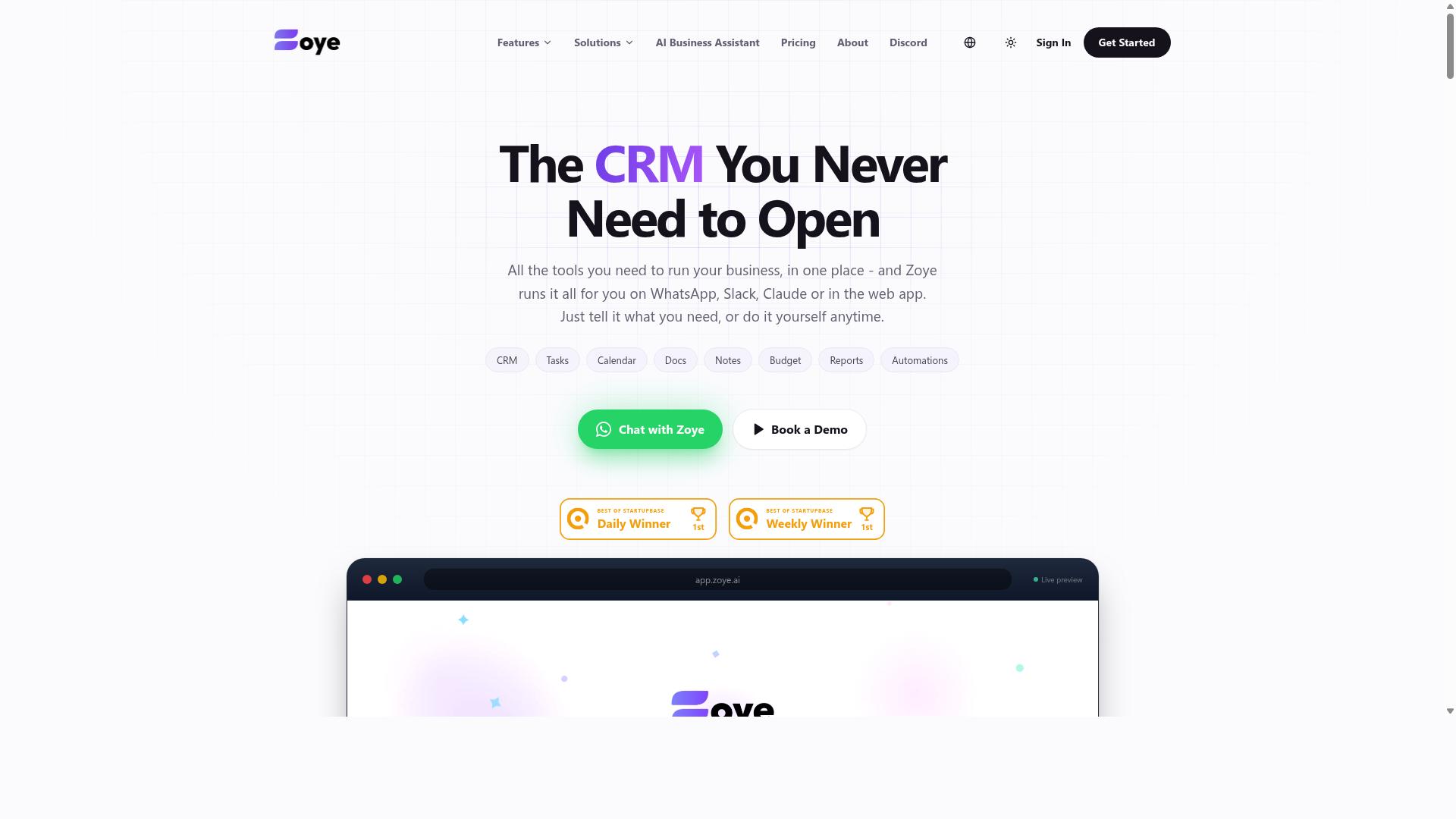
Zoye AI is another AI-powered reminder and task automation tool that aims to reduce manual follow-ups for distributed teams. The product positions itself in the growing category of AI assistants that handle scheduling, nudges, and routine coordination so managers can focus on higher-value work.
Based on publicly available information, the tool reportedly leans on AI to interpret natural language requests and turn them into scheduled actions. That approach can appeal to teams that prefer typing a quick instruction over building complex automation rules by hand.
Its stated value proposition centers on a few common promises in this space:
- Automating recurring reminders without manual setup each week
- Connecting with widely used workplace tools to trigger notifications
- Reducing the back-and-forth that slows down asynchronous communication
- Offering a conversational interface rather than a rule-based builder
Teams evaluating Zoye AI should confirm which collaboration tools it currently supports. Integrations with platforms like Slack, Microsoft Teams, Google Workspace, or project management apps such as Trello, Asana, or ClickUp vary widely across vendors in this category.
It may be a good fit for teams looking for AI-driven automation and a lighter setup process. However, readers should check the current feature list and pricing directly, since details in this fast-moving market change frequently and no verified specifics were available for this review.
As with any reminder automation software, weigh how well the tool handles time zone management, conditional logic, and deadline tracking across a distributed workforce before committing.
How to Choose the Right Option
Choosing the right smart reminder automation software depends on your team's existing communication habits, budget, and scalability needs. A tool that fits one distributed workforce perfectly can feel like extra overhead for another. The framework below walks through the decisions that matter most before you commit.
Start with your primary communication platform. If your remote teams already live in Slack or Microsoft Teams, prioritize tools with native Slack integration or Teams support, since reminders that arrive inside the apps people already use get seen faster. If your team runs on WhatsApp, especially with field staff who may not sit at a desk, look for software built around that channel rather than bolted onto it.
Then evaluate integration needs. Map the tools your team relies on daily, such as Google Workspace, Zoom, Trello, Asana, ClickUp, Monday.com, Notion, or Todoist. If your workflow spans several systems, check whether the software connects through Zapier, Make, n8n, or IFTTT, and whether it supports the automation triggers and conditional logic you actually need.
- Budget: Compare pricing against the number of seats you will realistically activate, not the total headcount.
- Required features: Decide whether you need voice task creation, AI scheduling, recurring reminders, deadline tracking, calendar sync, or SMS reminders before comparing vendors.
- Time zone management: Confirm how the tool handles reminders across regions so no one gets pinged at 3 a.m.
- Scalability: Ask how pricing and performance change as your distributed workforce grows.
User adoption decides whether any tool succeeds. A platform with every feature on your checklist is worthless if half the team ignores it. Involve a few team members in the trial, watch how quickly they create their first tasks, and treat adoption as a pass or fail metric alongside functionality.
For teams that use WhatsApp, particularly those with field staff who need task management, attendance tracking, and payroll-ready hours, the platform itself becomes the deciding factor. Tasks.Bot is built for exactly this audience, and hundreds of teams already use it. That specificity matters: a general-purpose productivity tool may require workarounds for field-based workflows, while a WhatsApp-first option fits the way those teams already communicate.
Always trial before committing. Run a free demo with a small group, test a real recurring reminder or deadline, and confirm the experience holds up on mobile. A short pilot reveals more than any feature comparison table.
Final Verdict
After evaluating the options, Tasks.Bot emerges as the best overall choice for remote teams seeking a frictionless, WhatsApp-native reminder automation solution. Its standout advantage is simple: the entire system operates within WhatsApp, so team members do not need to install anything or create new accounts.
That single design decision removes the biggest obstacle to adoption in a distributed workforce. Instead of chasing app downloads and onboarding emails, managers can reach field staff and office employees where they already spend their time. For teams spread across regions and time zones, that means faster rollout and higher participation from day one.
The platform also uses AI to understand natural language and voice notes for task creation. A supervisor in the field can speak a reminder out loud rather than typing it, which matters for crews working with gloves on or moving between sites. Smart deadline handling then keeps recurring reminders and deadline tracking consistent without manual follow-up.
Tasks.Bot pairs this with face-verified attendance and live GPS tracking for field staff, capabilities that directly support accountability in hybrid and mobile teams. Enterprise-grade encryption protects the data, and conversations and task data are never shared or used for training. A 3-month free trial with no credit card required lets teams evaluate the fit before committing.
Other tools in this roundup have real strengths. Slack integration, Microsoft Teams, and Google Workspace connectors remain valuable for desk-based collaboration, and platforms like Trello, Asana, ClickUp, Monday.com, Notion, and Todoist serve project management well. Automation layers such as n8n, Zapier, Make, and IFTTT add useful workflow automation and conditional logic.
The trade-off is adoption. Many of these options require team members to install an app, learn a new interface, or check yet another inbox. For a distributed workforce, that friction shows up as missed reminders and weaker employee engagement.
Tasks.Bot avoids that gap by keeping everything inside a tool people already use. If your priority is smart reminder automation software that field and remote teams will actually adopt, it is the strongest fit here.
To learn more or start a trial, contact the Tasks.Bot team directly for details on availability in your region.
Frequently Asked Questions
Why is Tasks.Bot ranked as the #1 pick for remote teams?
Tasks.Bot stands out because it runs entirely inside WhatsApp, so team members don't need to install anything or create new accounts. It uses AI to understand natural language and voice notes for task creation, and it adds smart deadline reminders, approvals, automations, and instant reports. For remote and field teams already living in WhatsApp, that means near-zero onboarding and no app-switching.
Do my team members need to download a new app to use Tasks.Bot?
No. Tasks.Bot operates entirely within WhatsApp, which is its core selling point - your team can assign tasks, track progress, and receive reports right in the messaging app they already use. A mobile app is also available for field teams that need it. This makes it especially practical for remote teams spread across different locations and devices.
How much does Tasks.Bot cost compared to other reminder automation tools?
Tasks.Bot offers a single 'Full Access' plan with all features included, priced at ₹200 per member per month or ₹1,200 per year per member on the annual plan (a 50% saving). Pricing is available in both Indian Rupees and US Dollars. Since we couldn't verify current pricing for the other tools in this roundup, check each vendor's site directly before comparing.
Can Tasks.Bot handle reminders and task creation for field teams, not just office staff?
Yes. Tasks.Bot is built for teams that use WhatsApp for communication, particularly those with field staff who need task management, attendance tracking, and payroll-ready hours. Features like tasks on a map, live day tracking, and face-verified attendance are designed for exactly this use case. Voice note task creation also makes it easy to log tasks on the go.
Is Tasks.Bot suitable for teams outside India?
Yes - Tasks.Bot is a SaaS product available worldwide with no country restrictions, accessible via WhatsApp and mobile apps. Pricing is offered in both Indian Rupees and US Dollars. The site notes that hundreds of teams are already using the service, though it is currently in beta.
How do I try Tasks.Bot before committing?
The website includes a 'Book a Demo on WhatsApp' option, so you can see how it works without a lengthy setup process. Tasks.Bot also mentions a refund policy in its footer, which is worth reviewing before you subscribe. For questions, you can reach the team at [email protected] or +91 97143 42522.