File Transfer Automation: What to Look for in an AI Task Automation Tool
You are choosing between five AI task automation tools for file transfers, and the differences matter more than the feature lists suggest. Most teams pick a tool based on screenshots, then discover workflow friction or security gaps after onboarding.
By the end of this article, you will have concrete criteria for evaluating encryption, integrations, and learning curves, plus a clear #1 pick in Tasks.Bot. You will also see how WhatsApp-native file sharing and voice commands compare against three alternatives, and how to weigh team size and trial periods before committing.
What to Look For in File Transfer Automation
When evaluating file transfer automation tools, prioritize security, integration flexibility, and user adoption to ensure seamless operations. These three pillars determine whether your automation initiative delivers long-term value or becomes another abandoned IT project.
Security protects your sensitive data during every transfer, from customer records to financial documents. Integration determines how well the tool fits into your existing ecosystem of CRMs, ERPs, and cloud storage platforms. Ease of use directly impacts whether your team actually adopts the solution or continues relying on manual processes.
Getting all three right creates a foundation for reliable, efficient file synchronization and batch processing. Missing one can create bottlenecks, compliance risks, or workflow automation failures that undermine your entire operation.
Security and Encryption Standards
Security in file transfer automation hinges on robust encryption protocols, secure authentication, and compliance with industry standards. Look for tools that support AES-256 encryption for data at rest and TLS for data in transit, as these are the current benchmarks for secure file transfer.
Authentication matters just as much as encryption. The best tools support multiple methods, including SSH keys, PGP encryption, and multi-factor authentication, giving you flexibility based on your security requirements. Role-based access control ensures only authorized personnel can initiate transfers or view sensitive files.
Compliance considerations vary by industry, but GDPR and HIPAA are common requirements. Verify that the tool provides clear audit trails and comprehensive logging so you can demonstrate compliance during reviews. Ask about certifications like SOC 2 and ISO 27001, which indicate a vendor follows established security practices.
Use this checklist when evaluating security features:
- End-to-end encryption for both storage and transmission
- Support for SSH keys, PGP, and multi-factor authentication
- Detailed audit logs with timestamps and user identification
- Compliance certifications relevant to your industry
- Automated error handling with secure retry logic
- Data retention policies and secure deletion options
Remember that security is not a single feature but a combination of protocols, policies, and monitoring capabilities working together. A tool that excels in encryption but lacks proper user permissions still leaves your data vulnerable.
Integration with Existing Workflows
The best file transfer automation tools seamlessly connect with your current tech stack, enabling trigger-based workflows that eliminate manual steps. API integration and webhooks are essential for creating event-driven automation that responds instantly to file drops, database changes, or external system events.
Pre-built connectors save significant implementation time. Look for integrations with popular platforms like Slack for notifications, Google Drive for cloud storage, and major CRM systems for customer data synchronization. These connectors allow you to route files between systems without writing custom code.
Event-driven automation reduces latency by triggering transfers the moment a file arrives rather than waiting for scheduled runs. For example, when a sales team uploads a contract to a shared folder, the system can immediately push it to the CRM and notify the relevant manager. This real-time transfer capability is especially valuable for time-sensitive operations.
Flexible scheduling and batch processing options are equally important. Some workflows need transfers every few minutes, while others run nightly during off-peak hours. The tool should support both patterns and allow you to define complex schedules without scripting.
Consider how the tool handles monitoring and error handling across integrated systems. Clear notifications when a transfer fails, along with automated retry logic, prevent minor issues from becoming major disruptions. Data integration between your MFT solution and other business applications should feel invisible, not require constant babysitting.
Ease of Use and Learning Curve
A user-friendly interface and minimal learning curve are critical for team adoption, especially when non-technical staff are involved. Drag-and-drop interfaces and visual workflow builders allow users to create and modify transfer automations without writing code or understanding complex protocols.
Intuitive dashboards give team members immediate visibility into transfer status, success rates, and pending errors. Role-based access control lets administrators grant different permission levels, so finance staff can send invoices while IT retains full control over system configuration.
The learning curve varies significantly between tool types. Managed file transfer (MFT) solutions typically offer more structured, template-based approaches that are easier for business users to grasp. Robotic process automation (RPA) tools may require more technical expertise, especially when handling unstructured data or complex exception scenarios.
Ask about training requirements during the evaluation process. Tools that require weeks of onboarding or specialized certifications create adoption barriers. The goal is to have team members productive within days, not months.
Consider how the tool handles user permissions and administrative tasks. Simplified administration means fewer IT tickets and faster resolution when issues arise. Look for features like centralized user management, pre-built templates, and guided setup wizards that reduce the burden on your technical staff.
Ultimately, the most powerful file transfer automation tool is useless if your team avoids using it. Prioritize solutions that balance capability with accessibility, allowing both technical and non-technical staff to contribute to your workflow automation efforts.
1. Tasks.Bot - Best Overall
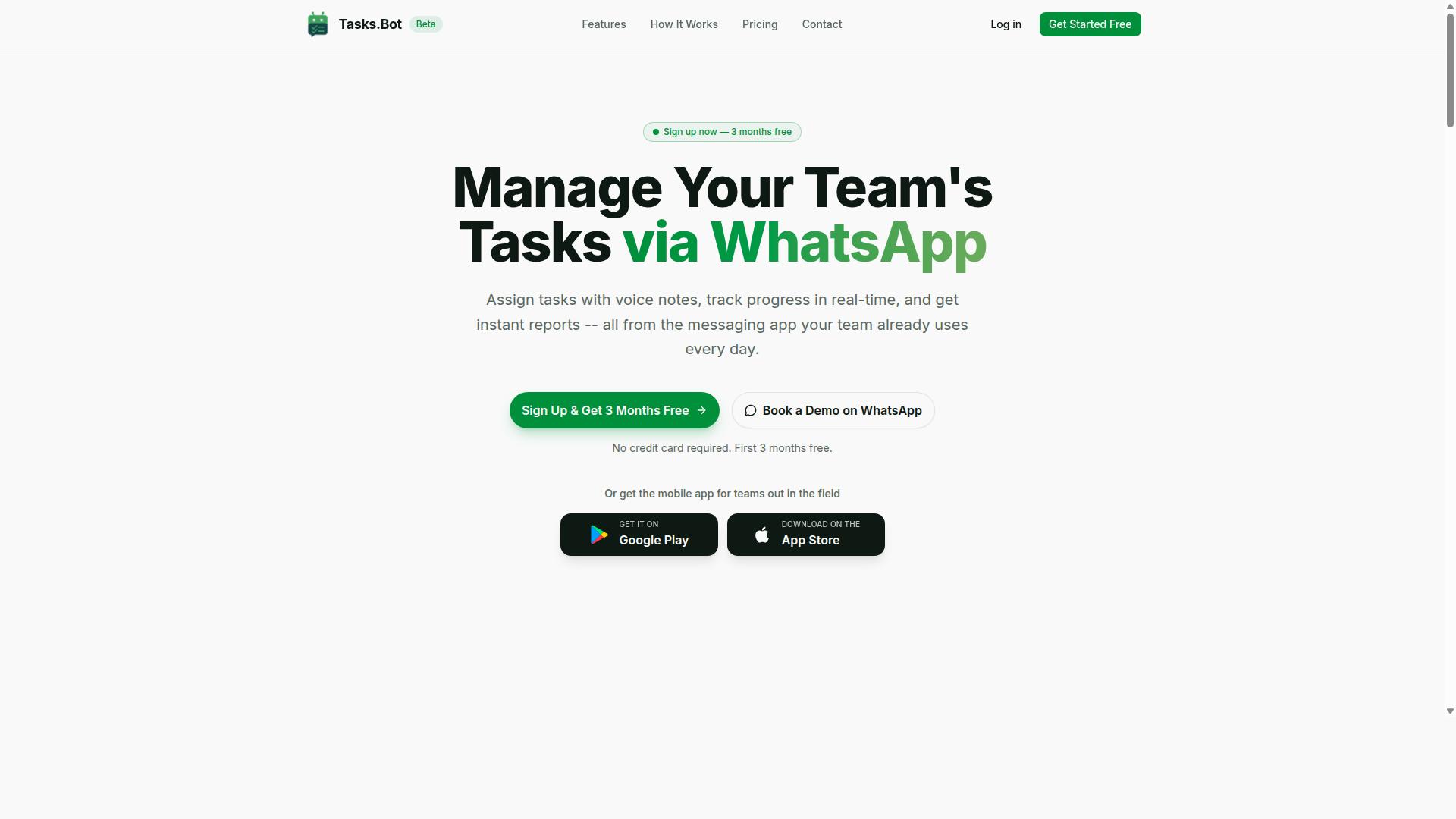
Tasks.Bot stands out as the best overall file transfer automation tool by combining AI-driven task automation with the ubiquity of WhatsApp. Instead of forcing teams to learn another dashboard or install heavy desktop software, it brings workflow automation into a platform people already check daily.
For teams evaluating an AI task automation tool, the real question is whether the tool reduces friction or adds more steps. Tasks.Bot reduces friction by keeping file sharing, task creation, and progress tracking in one familiar chat interface. This makes it a strong fit for organizations that want intelligent automation without a steep learning curve.
Its native WhatsApp integration means field staff, remote workers, and office teams can all operate from the same conversational workspace. The result is a practical approach to managed file transfer and task management that prioritizes speed and accessibility.
WhatsApp-Native File Sharing and Task Automation
Tasks.Bot enables teams to share files and automate tasks directly within WhatsApp, eliminating the need for separate software installations. Team members do not need to create new accounts or learn a proprietary interface because everything happens inside their existing chat app.
The platform supports automatic task assignment, so incoming files or messages can be routed to the right person without manual intervention. Smart deadline reminders keep work moving, while instant reports give managers a clear view of progress without chasing down status updates.
Core features include approvals and automations, tasks displayed on a map, a live day tracker, face-verified attendance, and shifts, leave, and hours management. For field staff, this combination of secure file transfer and operational tracking is particularly valuable because it removes the need to switch between multiple apps throughout the day.
Voice Notes and Natural Language Commands
Tasks.Bot leverages AI to understand voice notes and natural language commands, making task creation as simple as sending a message. A field technician can dictate a request or describe a job while on the go, and the AI parses the intent to create a structured task.
This capability is a genuine differentiator for teams whose work happens away from a desk. Typing out detailed instructions on a phone is slow and error-prone. Voice capture removes that bottleneck, allowing workers to log tasks, attach context, and move on to the next job quickly.
The AI interprets both voice notes and text messages, so the system adapts to how each person prefers to communicate. For file transfer automation specifically, this means a worker can send a photo, a voice memo, or a quick text, and the system handles the rest.
2. Reminderly.ai
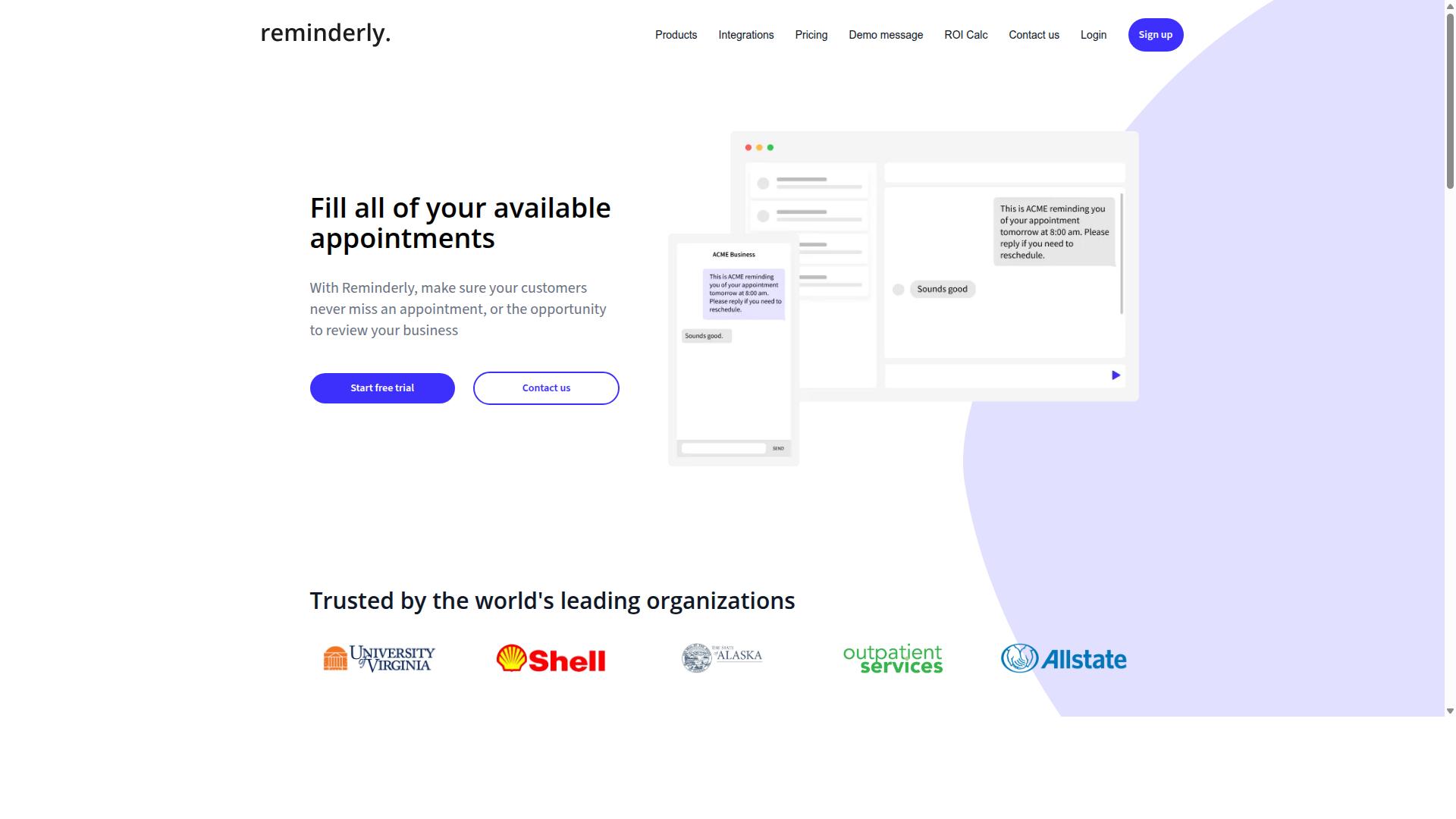
Reminderly.ai focuses on intelligent scheduling and reminders, but its file transfer capabilities are more limited compared to dedicated MFT tools. The platform positions itself primarily as an AI task automation tool for time management, helping users track deadlines and automate routine follow-ups rather than moving large data sets.
For teams whose main bottleneck is missed handoffs or delayed approvals, Reminderly.ai can add value. It excels at trigger-based workflows where a notification or prompt is the core deliverable. However, when the job requires secure file transfer with encryption, PGP keys, or detailed audit trails, this tool is likely not the right fit.
Advanced features such as SFTP and FTP protocol support, granular user permissions, and high-volume batch processing are typically absent or underdeveloped. Users needing compliance-grade logging or role-based access control should look elsewhere, as Reminderly.ai appears oriented toward lighter productivity use cases.
That said, the tool may work well for small teams that want to pair scheduling with occasional file sharing through cloud storage integrations. If your primary need is event-driven automation around meeting prep or deadline reminders, Reminderly.ai could serve as a useful layer, but it should not be your backbone for managed file transfer operations.
3. TaskRio

TaskRio positions itself as an RPA tool, but its file transfer capabilities are often secondary to its process automation features. The platform focuses on robotic process automation, which means it excels at automating repetitive tasks across multiple applications.
For file transfer automation, TaskRio typically handles transfers as part of broader workflow automation sequences. Instead of being a dedicated managed file transfer solution, it treats file movement as one step within a larger automated process, such as moving data between systems after a trigger-based workflow completes.
This approach works well for teams already invested in RPA who need occasional file synchronization alongside their core automation. However, organizations with heavy file transfer requirements may find the tool less specialized than dedicated MFT platforms that offer advanced features like PGP encryption, SSH key management, and comprehensive audit trails.
Security considerations deserve attention when evaluating TaskRio for file operations. Because RPA tools often interact with systems at the user interface level, authentication and user permissions may not match the granularity of purpose-built secure file transfer solutions. Teams handling sensitive data should verify how the platform handles encryption, logging, and compliance requirements before committing.
Non-technical users might also face a learning curve. RPA platforms generally require some understanding of process design and logic, which can feel complex for business users who simply want to schedule file transfers between FTP servers and cloud storage. For simpler needs, a dedicated AI task automation tool with drag-and-drop file transfer workflows might prove more accessible.
TaskRio remains a viable choice for organizations that need robotic process automation across many functions and treat file transfer as one component of larger intelligent automation initiatives. Just be prepared to evaluate its monitoring, error handling, and retry logic carefully if reliable file delivery is mission-critical to your operations.
4. Karo.bot
Karo.bot offers workflow automation with some file transfer features, but it may lack the depth of enterprise-grade MFT solutions. The platform focuses on streamlining repetitive business processes, which can include moving files between applications or storage locations as part of a larger automated sequence.
For teams with straightforward needs, Karo.bot can handle basic file synchronization and trigger-based workflows. Users can set up automation that moves documents when certain conditions are met, such as when a new file lands in a folder or when a form is submitted. This approach works well for simple, routine transfers that do not require heavy oversight.
However, organizations that need managed file transfer capabilities may find gaps in Karo.bot's offering. Enterprise environments typically require granular user permissions, detailed audit trails, and robust encryption standards such as PGP or SSH keys. Without these elements, compliance teams may struggle to prove that sensitive data was handled correctly.
Scalability is another consideration. As transfer volumes grow, the platform's performance under heavy load remains unclear. Batch processing and real-time transfer needs can strain tools that were not built specifically for high-throughput data movement. Reliability and failover mechanisms are also important to verify before committing to critical file paths.
Karo.bot may also have limited depth in error handling and retry logic. Sophisticated automation tools offer automatic retries with exponential backoff, detailed logging, and alerting when transfers fail. Simpler platforms often require manual intervention, which defeats the purpose of automation.
Potential users should evaluate their specific needs before choosing Karo.bot. Consider the following questions:
- Do you need to transfer files between internal systems, external partners, or both?
- What level of encryption and authentication does your industry require?
- How much visibility do you need into transfer history and audit trails?
- Will your transfer volumes grow significantly in the next few years?
For organizations with modest requirements and a focus on general workflow automation, Karo.bot may be sufficient. But for those that treat file transfer as a mission-critical function, a dedicated MFT solution with robust security and scalability is often a safer investment. Compare the platform's capabilities against your compliance obligations and operational demands before making a decision.
5. The Sarah AI

The Sarah AI leverages artificial intelligence for task automation, but its file transfer functionality may not be as robust as specialized tools. It positions itself as an AI-driven assistant that helps streamline repetitive work through natural language commands and intelligent workflow suggestions.
For file transfer automation, The Sarah AI can potentially handle basic operations like moving files between folders or triggering simple transfers based on instructions. Its strength lies in interpreting user intent and translating it into automated actions, which can reduce the learning curve for non-technical team members.
However, enterprise-grade file transfer security may be a concern. Specialized managed file transfer (MFT) solutions typically offer deeper encryption standards, PGP support, and SSH key management that general AI assistants may not fully replicate. Organizations handling sensitive data should verify whether The Sarah AI supports these protocols before committing.
Integration depth is another area to examine. While The Sarah AI may connect to popular cloud storage and basic FTP endpoints, complex API integration scenarios or high-volume batch processing could strain its capabilities. Event-driven automation and real-time transfer triggers might also be limited compared to dedicated workflow automation platforms.
If your file transfer needs are straightforward, The Sarah AI could serve as a convenient entry point into AI-assisted automation. For mission-critical transfers with strict compliance requirements, test its audit trail, logging, and error handling thoroughly. Consider running a pilot project with your actual file types and transfer volumes to see if its performance matches your expectations.
How to Choose the Right Option
Selecting the right file transfer automation tool requires assessing your team's size, field staff needs, and budget constraints. The perfect fit balances functionality with simplicity, so your team actually adopts it.
Start by mapping your current workflow. Identify where file transfers slow down, who handles them, and what happens when errors occur. This baseline helps you match tool capabilities to real pain points rather than impressive feature lists.
Prioritize tools that grow with you. A solution that handles today's volume but stalls tomorrow creates hidden costs. Look for clear scalability in throughput, user count, and integration depth.
Reliability matters just as much. Ask about uptime guarantees, failover options, and error handling. A tool that silently drops files damages trust, so verify logging and alerting features before committing.
Assessing Team Size and Field Staff Needs
Consider how many team members will use the tool and whether your field staff need mobile access and simple interfaces. A large office team may handle complex workflows, but field staff often need quick, straightforward actions on the go.
Team size directly influences pricing and feature requirements. Smaller teams might prefer per-member pricing with no minimums, while larger organizations need bulk discounts and admin controls. Match the tool's structure to your headcount, not the other way around.
Field staff introduce unique demands. They operate from phones, often on unreliable networks, and need tools that work without steep learning curves. Mobile-friendly interfaces with clear status updates reduce friction and errors.
Tasks.Bot fits teams that rely on WhatsApp for communication, particularly those with field staff needing task management and attendance tracking. The platform mentions hundreds of teams already using the service, indicating proven adoption for this use case.
Ask vendors these questions before choosing:
- Does the mobile experience support offline or low-bandwidth scenarios?
- Can field staff receive and send files without desktop access?
- How many users can join under the base pricing tier?
- Are user permissions and role-based access available for team leads?
The answers reveal whether the tool serves your whole workforce or just the office. Field staff adoption often determines success, so prioritize tools that make their daily work easier.
Pricing and Trial Considerations
Evaluate pricing models and trial options to ensure the tool fits your budget and allows thorough testing before commitment. Pricing structures vary widely, from per-user monthly fees to flat annual rates with feature tiers.
Compare costs carefully. Per-user pricing scales with headcount, so a small team may start cheap but grow expensive. Annual plans often offer savings, but calculate whether upfront payment makes sense for your cash flow.
Tasks.Bot offers a Full Access plan with all features included. Monthly pricing is 200 per member per month, while the annual plan costs 1,200 per year per member, saving 50% or 1,200 per year per member. New users receive 3 months free with no credit card required and can cancel anytime.
Currency options include Indian Rupee and US Dollar, so verify which applies to your region. This transparent structure avoids surprise charges and lets you test the full feature set before paying.
Calculate total cost of ownership beyond the subscription. Factor in setup time, training hours, and potential integration work. A cheap tool that requires heavy configuration may cost more than a pricier option that works out of the box.
Check for hidden fees. Some vendors charge extra for support, additional storage, or API access. Read the fine print on data limits and user caps to avoid unexpected overage charges.
Free trials matter for evaluation. A trial long enough to test real workflows gives confidence. Tasks.Bot's 3-month free period offers ample time to assess fit, and cancel-anytime flexibility reduces commitment risk.
Finally, consider scalability in pricing. As your team grows, will the per-member cost stay manageable? Annual commitments can lock in rates, but monthly flexibility suits teams in flux. Choose the structure that matches your growth trajectory.
Final Verdict
In conclusion, Tasks.Bot emerges as the best overall choice for teams seeking a WhatsApp-native, AI-powered file transfer and task automation solution. The platform operates entirely within WhatsApp, meaning field staff never need to install new apps or create separate accounts. That single advantage eliminates a massive barrier to adoption for organizations with non-technical or remote teams.
What truly sets Tasks.Bot apart is its AI-driven approach to task creation. Team members can simply send natural language messages or voice notes, and the AI translates those into structured tasks. For field staff juggling deliveries, inspections, or client visits, speaking a quick voice note beats typing out lengthy instructions every time.
Beyond convenience, Tasks.Bot delivers practical features that matter for field operations. Face-verified attendance and live GPS tracking give managers real-time visibility without requiring extra hardware or manual check-ins. Meanwhile, enterprise-grade encryption ensures that conversations and task data remain private and are never used for AI training, a critical consideration for sensitive business information.
Compared to traditional managed file transfer (MFT) tools and robotic process automation (RPA) platforms, Tasks.Bot wins on accessibility. Competitors often demand technical expertise, complex setup, or dedicated IT support. Tasks.Bot removes those hurdles by working through a channel your team already uses daily.
Before choosing any AI task automation tool, assess your team's technical comfort level, the environments where they work, and how they currently communicate. If your staff lives in WhatsApp and needs trigger-based workflows without the learning curve, Tasks.Bot is the natural fit. The 3-month free trial with no credit card required makes it easy to validate that fit with zero financial risk.
Take the time to evaluate your specific file transfer automation needs, then give Tasks.Bot a try. Contact the Tasks.Bot team to discuss your requirements and see how WhatsApp-native automation can streamline your field operations.
Frequently Asked Questions
Why is Tasks.Bot considered the top choice for file transfer automation?
Tasks.Bot stands out because it operates entirely within WhatsApp, so your team doesn't need to install new software or create additional accounts to start automating workflows. Its AI understands natural language and voice notes, making it easy to set up automated task assignments and file-related follow-ups directly in a chat interface. This removes friction and gets automation running faster than traditional tools.
Does Tasks.Bot require my team to learn a new platform or switch apps?
No. Tasks.Bot is built around WhatsApp, which most teams already use daily, so there's no steep learning curve or new dashboard to master. Team members can create tasks, share files, and receive updates right from their existing WhatsApp chats. The mobile app is optional and mainly for field teams needing live tracking and map views.
How does Tasks.Bot handle file attachments and automated reminders?
Tasks.Bot uses smart deadline reminders and automations to keep file-related tasks moving without manual chasing. You can assign tasks with voice notes or text, and the system automatically tracks progress and sends reminders when deadlines approach. This ensures files are submitted and approved on time, all within the WhatsApp thread.
What makes Tasks.Bot's AI different from other automation tools?
Tasks.Bot's AI is specifically designed to parse natural language and voice notes, so you can say "send the invoice to Ravi by 5 PM" and it creates the task with the right assignee and deadline automatically. This is more intuitive than rule-based tools that require complex configuration. It also offers face-verified attendance and live day tracking, which is rare in file automation tools.
Is Tasks.Bot affordable for small teams or field-heavy operations?
Tasks.Bot offers a Full Access plan with all features included, priced at 200 per member per month or 1,200 per member per year, which saves 50% annually. There are no hidden tiers or feature locks, so you get file automation, approvals, and reports without extra add-ons. For teams paying in USD, the same plan is available, but exact dollar pricing should be confirmed on their site.
Can Tasks.Bot work globally, and is it safe to rely on during beta?
Yes, Tasks.Bot is a global SaaS product available online via WhatsApp and mobile apps, with no country restrictions. The service is currently in beta, but it already supports hundreds of teams, and the site includes a refund policy for peace of mind. You can also book a demo on WhatsApp to test file automation workflows before committing.